
Turn Rightmove sale and rental search results into CSV, Excel XLSX or JSON files. Preview the rows and choose the columns you need.
Chrome Web Store release pending
Google sign-in required · 36 base fields · Independent Chrome extension
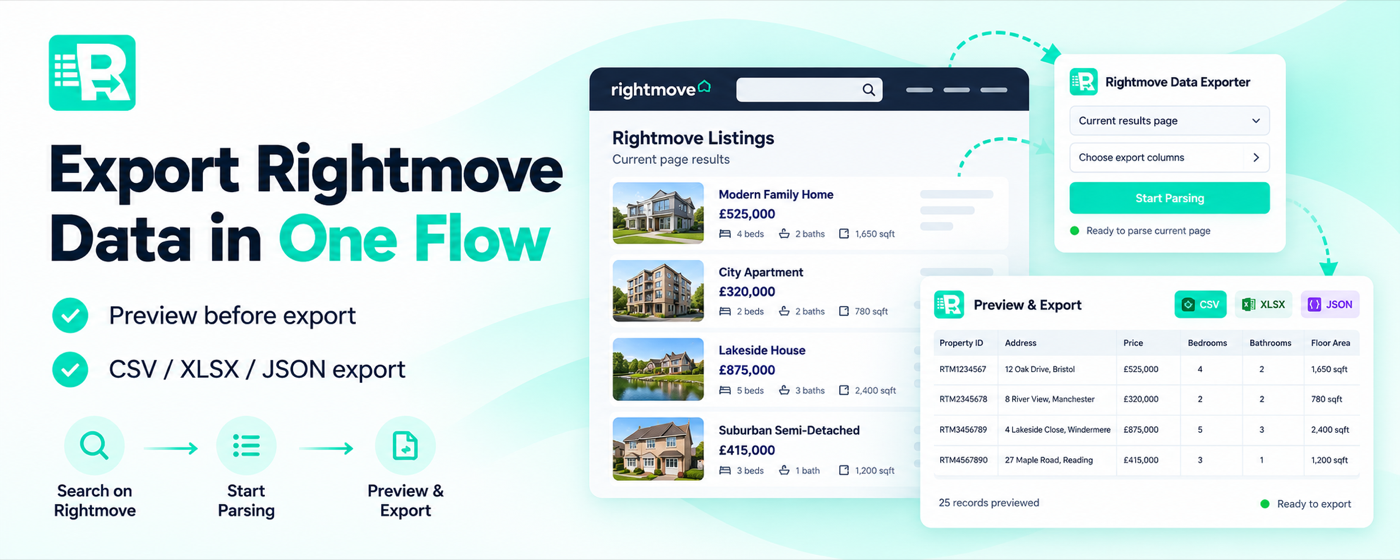
Promotional artwork. Actual features and field availability depend on the Rightmove page.
Open supported Rightmove sales or rental search results, sign in, preview detected rows and choose from the available 36 base columns before saving CSV, Excel XLSX or JSON.
The Chrome Web Store release is not confirmed live. Search export does not automatically visit every detail page or export saved homes.
Capture structured fields exposed on supported public search results and export the columns that matter to your workflow.
Extract property IDs, addresses, prices, beds, baths and other available fields from Rightmove search results.
Choose from supported listing fields such as type, tenure, agent, dates and location. Missing values stay blank.
Preview the captured rows, select columns and download files for comparison, analysis or reporting.
You can export one manually opened property record; search export does not visit every detail page or add extra Detail Fields.
Practical workflows for property professionals and researchers working with publicly available Rightmove listings.
Compare asking prices, property type, size and room counts across available search listings.
Organize rents and listing details from Rightmove rental results into a spreadsheet.
Keep date-stamped local files for manual comparisons across searches and time.
Turn selected public listing fields into structured records for internal notes and reporting.
The Chrome Web Store listing and paid plans have not been independently verified as live. Plan details will be available through the extension when released; no price is advertised here yet.
Quick answers about setup, exports, pricing, and compatibility.
It exports supported base fields from Rightmove sale and rental search results, including property ID, address, asking price, bedrooms, bathrooms, type, agent details and listing URL when available. It supports 36 selectable base columns.
No. Search-result exports do not automatically open each property's detail page or add extra Detail Fields. If you open one property page yourself, the extension can extract that property's available base record.
CSV, Excel XLSX and JSON. You can preview rows and choose which supported columns to include before exporting.
Saved-home export is not advertised as a supported feature. Pagination follows available public search navigation, but no unlimited all-page crawl or per-property detail enrichment is promised.
Yes. The extension requires Google sign-in to access its features. Export capacity depends on the account's available plan.
No. Rightmove Data Exporter is an independent browser utility and is not affiliated with, endorsed by or sponsored by Rightmove.
The Chrome Web Store listing is not live yet. Contact us for availability; we will not link you to an unverified store listing.
Ask About Availability